

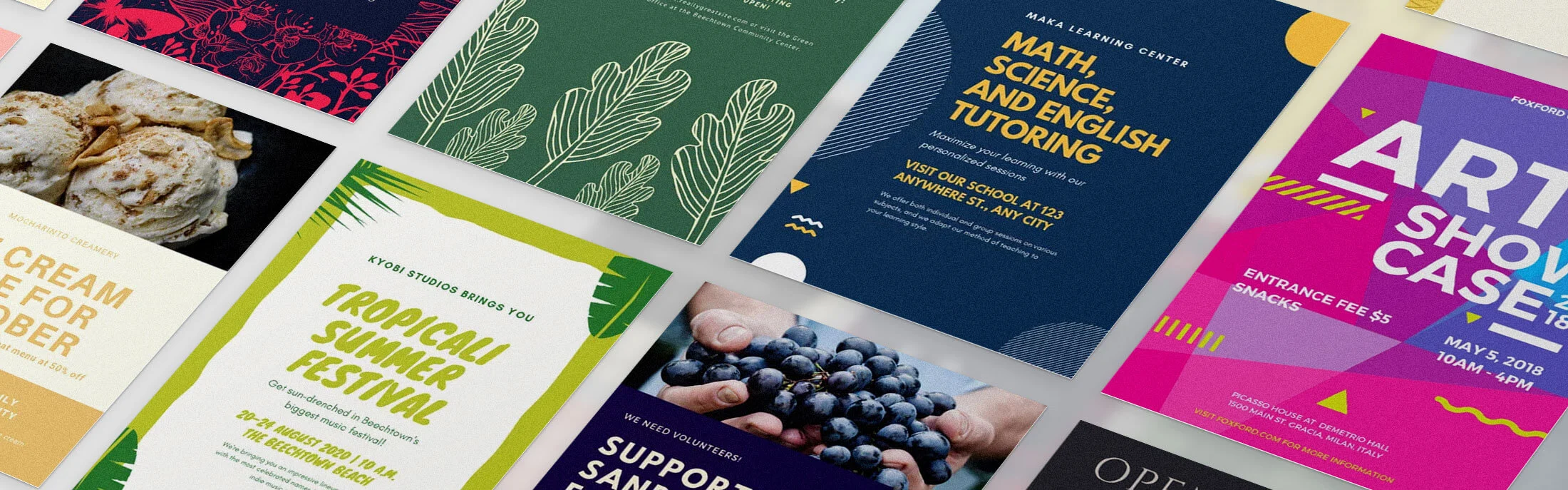
Whether you are promoting a weekend sale, announcing a community event, or advertising a new service, getting a professional-looking flyer out the door quickly can feel like a challenge if you are not a designer. The good news is that modern online design tools have completely changed the game, putting thousands of ready-made templates at your fingertips so you can go from idea to finished flyer in a fraction of the time it used to take. You do not need design software, a creative background, or a big budget. With the right resources, fast and easy flyer creation is genuinely within reach for anyone.
Why Templates Are the Smartest Starting Point
Starting a design from a blank page is one of the most common reasons people get stuck. The layout decisions, font pairings, color choices, and image placement all add up fast, and if design is not your background, these choices can feel paralyzing.
Templates solve this problem instantly. A well-designed template already handles the visual structure for you. Fonts are paired. Spacing is balanced. Colors are chosen to work together. Your job becomes personalization rather than invention, and that is a much faster and less stressful process.
The best online flyer design resources offer thousands of templates organized by category, industry, and use case. That level of variety means you are not starting with something generic that looks like every other flyer. You are starting with something that was purpose-built for your specific situation, whether that is a grand opening, a yoga class, a nonprofit fundraiser, or a seasonal promotion.
What to Look for in a Fast and Easy Flyer Design Resource
Not every design tool is built with speed and simplicity in mind. Before committing to any platform, here are the qualities that separate truly easy tools from the ones that just look simple on the surface:
- A large, searchable template library. Look for tools that offer thousands of templates, not just dozens. A bigger library means more relevant options for your specific flyer purpose.
- Drag-and-drop editing. You should be able to click on any element and move, resize, or replace it without needing to understand layers, bezier curves, or any other technical design concept.
- Free access with no hidden walls. Many tools advertise themselves as free but lock their best templates behind a paywall. Look for platforms where the free tier offers genuine value.
- Multiple download formats. The ability to download as a PDF, JPG, or PNG ensures your flyer works whether you are printing it, emailing it, or posting it online.
- Mobile compatibility. If you ever need to make a quick edit on the go, a tool that works on your phone is a major advantage.
- Built-in stock photos and graphics. Uploading your own images is great, but having a library of free stock photos built in means you can build a complete flyer even when you do not have your own images ready.
10 Tips for Designing Flyers Quickly and Easily
1. Start with a template that matches your exact use case.
The biggest time-saver in flyer design is picking the right starting point. Instead of searching broadly for “flyer templates,” search specifically for what you need, such as “event flyer,” “sale flyer,” “open house flyer,” or “class schedule flyer.” The more specific your search, the fewer irrelevant results you will scroll through, and the closer your starting template will be to your finished product.
2. Replace the text first before touching anything else.
When you open a template, resist the urge to immediately start moving things around. The fastest path to a finished flyer is to swap out the placeholder text for your own information first. Once your actual headline, date, location, and call-to-action are in place, you will have a much better sense of whether the layout works as-is or needs adjustment.
3. Stick to two fonts maximum.
One of the most common mistakes non-designers make is using too many different fonts. It makes the flyer look cluttered and hard to read. Most good templates already use a smart font pairing. Unless something feels completely off for your brand or message, trust the template’s typography and leave it alone. Your time is better spent on the content.
4. Use your brand colors even if they are not in the template.
Most design tools let you change any color with just a few clicks. If your business or organization has established brand colors, swap the template’s colors for yours. This single step makes a generic template feel custom-built, and it takes less than two minutes to do.
5. Limit your design to one main focal point.
Every strong flyer has one dominant visual element that draws the eye first, whether that is a bold headline, a striking photo, or a key piece of information like a date or discount amount. If you try to make everything equally prominent, nothing stands out. Decide what the single most important thing on your flyer is and make sure it visually commands attention.
6. Use a step-by-step approach with Adobe Express.
Here is a practical how-to for creating a flyer without any design experience. Go to the flyer maker on Adobe Express and either type a description of what you need into the AI generator prompt, or browse the template library by category. Once you select a template you like, click on the text blocks to swap in your own copy, replace any placeholder images using the drag-and-drop image uploader or the built-in stock photo library, and update the colors to match your brand. When you are satisfied, choose your file format, such as PDF for printing or JPG for sharing online, and download. The whole process can realistically take under ten minutes the first time, and even less once you have done it once or twice.
7. Take advantage of AI-powered template generation.
Several modern design tools now include AI generators that create a custom template from a text prompt. Instead of browsing through hundreds of options, you simply describe what you need, such as “a flyer for a summer outdoor yoga class in a calm, earthy style,” and the tool generates multiple tailored options. This is especially useful when you have a specific aesthetic in mind but are not sure how to find it in a general template library.
8. Resize your finished flyer for digital sharing in one step.
Once your flyer is designed, do not stop at a single format. Many online design tools include a one-click resize feature that scales your design to fit social media formats, email headers, or other standard sizes. This lets you turn one flyer into a full suite of marketing materials without redesigning anything from scratch. It is one of the most underused time-savers available, and it can dramatically extend the reach of any single design you create.
9. Save your design as a reusable template.
Once you have built a flyer you are happy with, save it as your own template so you can reuse the layout for future promotions. Swap out the text, image, and date the next time you need a flyer, and you will be done in minutes rather than starting over. This is especially valuable for businesses or organizations that regularly promote recurring events or seasonal campaigns.
10. Check contrast before you finalize.
One of the most common readability problems in self-designed flyers is low contrast between the text and the background. If your white text is sitting on a light-colored image, or dark text on a dark background, people will struggle to read it from a distance or on a small screen. A quick visual check before downloading can save you from reprinting or reposting. If text feels hard to read, try adding a semi-transparent background shape behind it, or switch to a higher-contrast color.
How to Choose the Right Resource for Your Needs
Different platforms serve different priorities. Here is a quick guide to matching your needs with the right type of tool:
- For quick one-off flyers with no design experience: Choose a platform with a large free template library, drag-and-drop editing, and direct download. Adobe Express fits this description well and is free to get started.
- For recurring business promotions: Look for a tool that supports brand kits, meaning you can save your logo, fonts, and colors so they auto-apply to every new design.
- For event-heavy organizations: Prioritize a platform with a dedicated event flyer category and print ordering capabilities, especially if you need physical flyers delivered.
- For digital-first marketing: Tools with animation features and social media resizing options are worth exploring, since an eye-catching animated flyer can perform significantly better in online feeds than a static image.
- For teams: Look for real-time collaboration features so multiple people can review and edit the same flyer without emailing files back and forth.
FAQ
Do I need to know how to use design software to create a professional-looking flyer?
Not at all. Modern browser-based flyer design tools are specifically built for people with no design background. The template-based approach removes most of the creative decision-making by giving you a pre-structured layout to start from. The editing interface typically works like clicking and typing, not unlike using a basic word processor. Most platforms also include tutorial prompts and tooltips that guide you through the process. The learning curve is genuinely minimal, and many people complete their first polished flyer within fifteen minutes of opening the tool for the first time.
What file format should I download my flyer in?
The right format depends on how you plan to use it. If you are sending your flyer to a commercial printer or posting it as a document people can download, PDF is the best choice because it preserves fonts and resolution at any size. If you are sharing the flyer as an image on social media, in an email, or on a website, JPG or PNG both work well. PNG is slightly better if your design has a transparent background or fine graphic details. Most free tools support all three formats on their free plans, so you can usually download multiple versions for different uses.
Can I use a free flyer design tool for a professional business or commercial purposes?
Yes, in most cases. The majority of leading free flyer design platforms are designed to be commercially safe, meaning the templates, stock photos, and graphic elements included in the free tier can be used for business promotions, events, and marketing without copyright concerns. That said, it is always worth checking the specific terms of service for the platform you choose, particularly if you plan to print flyers at scale or use the design in paid advertising. Most platforms clearly state their license terms in their help documentation.
How do I get people to actually see my flyer once I have designed it?
Designing the flyer is only half the challenge. Distribution matters just as much as design. Digitally, sharing your flyer across social media platforms, in email newsletters, and through local community groups or neighborhood apps are all effective strategies. If you are promoting an event, listing it on a platform like Eventbrite alongside your flyer can dramatically increase visibility, since people actively search those platforms for things to do. For physical flyers, high-traffic community spaces like libraries, coffee shops, laundromats, and grocery store bulletin boards are reliable distribution points, especially for local events or services.
Is it possible to order printed copies of a flyer I designed online?
Yes, several online flyer design tools now include built-in print ordering so you can go directly from design to delivery without switching platforms. After downloading your flyer as a print-ready PDF, you also have the option of uploading it to a local print shop or an online print-on-demand service if the platform you used does not offer its own print fulfillment. When designing for print, make sure to use a platform that supports high-resolution downloads and includes bleed guidelines if your design extends to the edges of the page.
Creating a professional flyer no longer requires design skills, expensive software, or hours of your time. With online design resources that offer thousands of customizable templates and intuitive drag-and-drop editors, anyone can produce a sharp, polished flyer in minutes. The key is knowing what to look for in a tool, starting from the right template, and applying a few simple design principles like limiting fonts, maximizing contrast, and keeping the layout focused on a single key message.
Whether you are a small business owner, an event organizer, a nonprofit coordinator, or just someone who needs to put the word out fast, there has never been a better time to take flyer creation into your own hands. The resources are free, the process is approachable, and the results speak for themselves.